I want to be very clear from the start: I am not a professional athlete. I am not training for the Olympics, and I don’t have a sponsorship deal with any fitness tech company. I am Alex Warenstein, a 47-year-old man who spent a year hell-bent on fixing his chronic insomnia and sleep maintenance issues. I’ve worn almost every tracker on the market, from the Oura Ring to the medical-grade Dreem 2 headband, in my quest to understand why I was waking up at 4 AM.
The Whoop 4.0 is a strange device. It has a cult following among biohackers, CrossFitters, and people who listen to Andrew Huberman religiously. It promises to tell you exactly how recovered you are, how much strain your body can take, and precisely how well you slept. But after wearing it for months alongside my trusty Apple Watch and the new Oura Ring 4, I came to a difficult realization.
This review is not about how cool the strap looks or its social status in the gym. This is a deep dive into the Whoop 4.0 sleep tracking accuracy. We are going to look at the data, the hypnograms, and the raw reality of whether this screen-less subscription service is actually helping you sleep better, or if it’s just noisy data costing you $30 a month.
The “Naked” Tracker: Form Factor and Philosophy
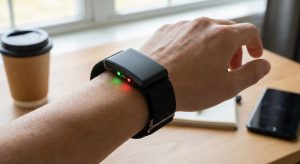
The first thing you notice about the Whoop 4.0 is what isn’t there. There is no screen. There are no buttons. It is a small plastic sensor pod that slides into a fabric strap. The philosophy here is “always on.” You are meant to wear it 24/7, never taking it off, not even to charge (you slide a battery pack over it while wearing it).
For sleep, this form factor has immediate benefits. It is low profile. Unlike a bulky Garmin or the rigid body of an Apple Watch Ultra, the Whoop feels more like a bracelet. If you are someone who hates wearing watches to bed because the screen lights up or it digs into your wrist, Whoop solves that problem. You can even buy specific underwear or a “bicep band” to move the sensor off your wrist entirely.
I tested the Whoop 4.0 primarily on my wrist, but later switched to the bicep band based on advice from The Quantified Scientist and various forums, as optical heart rate sensors tend to be more accurate on the upper arm where there is more tissue and less bone movement.
However, the lack of a screen is a double-edged sword. If you wake up in the middle of the night and want to check the time or see if your heart rate is spiking (a sign of a cortisol surge), you can’t. You have to reach for your phone, unlock it, and open the app. And as anyone suffering from sleep maintenance insomnia knows, looking at your phone screen at 3 AM is the kiss of death for falling back asleep.
The Elephant in the Room: The Subscription Model
Before we look at the data, we have to talk about the cost. You cannot just “buy” a Whoop. You pay a subscription fee (around $30/month, or less if you prepay for a year or two). If you stop paying, the device becomes a useless piece of plastic. It won’t collect data; you can’t see your history. Nothing.
Compare this to the Oura Ring 4, where you buy the hardware upfront ($350+) and pay a smaller monthly fee ($6), or the Apple Watch, which is a one-time purchase with no mandatory subscription for health data.
For me to justify a perpetual rental fee, the data needs to be spectacular. It needs to tell me things about my deep sleep vs REM that no other device can. Does it? Let’s find out.
Sleep Tracking Accuracy: The Data Deep Dive
When we talk about sleep tracking accuracy in 2025/2026, we are comparing these consumer devices against Polysomnography (PSG) – the medical gold standard involving EEG leads on your head. No wrist or finger tracker is perfect, but some are getting frighteningly close.
Sleep/Wake Detection (Total Sleep Time)
The Whoop 4.0 is actually quite good at determining when you fall asleep and when you wake up. In the world of sleep science, we call this Total Sleep Time (TST) accuracy. If I went to bed at 11:00 PM and woke up at 7:00 AM, Whoop almost always nailed these “bookends” of the night.
It uses a combination of heart rate dropping, heart rate variability (HRV) increasing, and accelerometer data (lack of movement) to trigger sleep mode automatically. You don’t need to press a button. In my experience, it was on par with Oura and Apple here.
The Hypnogram: Deep, REM, and Light Sleep
This is where things get murky. A hypnogram is that graph that shows your journey through sleep cycles—dropping into Deep (NREM3), cycling up to Light, and hitting REM.
According to independent analysis from sources like The Quantified Scientist and comparative studies published in journals (and discussed on PubMed), the Whoop 4.0 struggles with sleep staging accuracy compared to the current leaders.
- 1. Deep Sleep (NREM3): Whoop tends to be moderately accurate here, but I noticed it often “smooths” the data. If I had a fragmented night with micro-awakenings, Whoop would often paint over them, showing a solid block of sleep where my Apple Watch correctly identified I was tossing and turning.
- 2. REM Sleep: This is notoriously hard for optical sensors to detect because it looks physiologically similar to being awake (high brain activity, variable heart rate). In my testing, Whoop’s REM calculations often felt arbitrary compared to my subjective dream recall and the data from my Apple Watch.
- 3. Wake After Sleep Onset (WASO): This is critical for people with insomnia. If you wake up for 3 minutes, does the tracker see it? The Apple Watch Series 10/11 and Ultra 2 are currently the kings of this sensitivity. Whoop 4.0 often misses these short wake windows. It tells you that you slept through the night when you know you stared at the ceiling for 15 minutes.
In terms of correlation with medical-grade EEG devices (Kappa score), the Apple Watch is currently hovering around 0.8+ (very good), Oura is close behind, and Whoop trails in the “moderate” range (0.6-0.7). It’s not random, but it’s not precise.
The “Cloud” Problem: Lag and Internet Dependency
Here is a flaw that drove me crazy, and one that isn’t mentioned enough in tech reviews. The Whoop 4.0 is heavily dependent on the cloud. The device has very little onboard processing power. It offloads raw data to your phone, which uploads it to Whoop’s servers, where the algorithms crunch the numbers, and then send the results back to your phone.
If you are in a location with spotty internet, or if your phone is in airplane mode and you try to check your sleep data immediately upon waking, the app struggles. I experienced significant lag—sometimes waiting minutes for the “Sleep Processing” bar to finish.
Furthermore, if the internet connection drops while the app is open and trying to sync, I’ve seen the interface freeze or stutter. For a device that requires a monthly subscription, the inability to process data locally on the phone feels like a legacy issue from 2020, not what we expect in 2026.
Whoop 4.0 vs. Apple Watch vs. Oura Ring 4 vs. Samsung Galaxy Ring
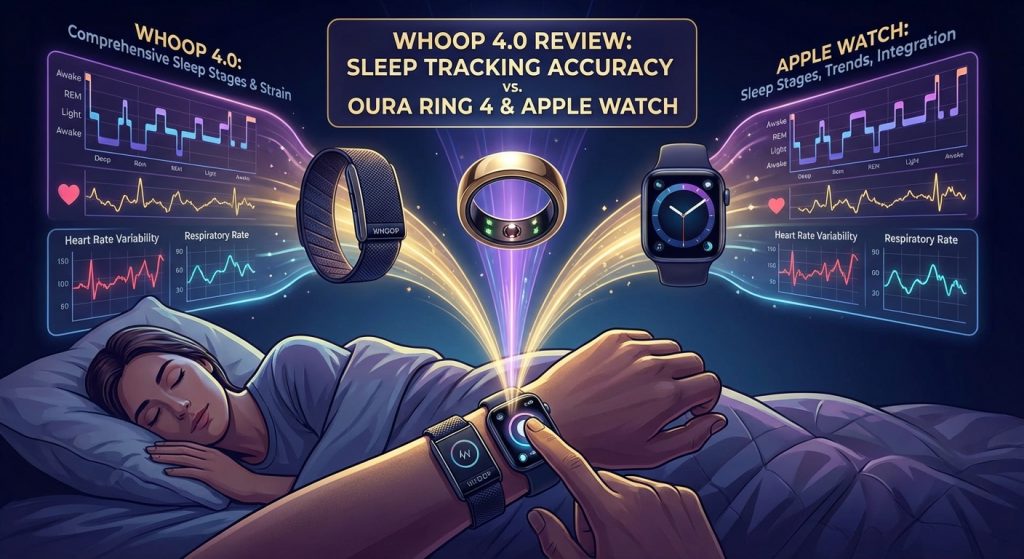
If you are standing with your credit card in hand, wondering which ecosystem to enter, here is my breakdown based on sleep data specifically.
Apple Watch (Series 10/11 or Ultra 2 or Ultra 3)
- The Gold Standard. As of late 2025, the Apple Watch sleep stage algorithm is the one to beat. It detects micro-awakenings with incredible sensitivity.
- Pros: Highest accuracy for stages, integrates with Apple Health, one-time cost.
- Cons: Battery life (you have to charge it daily), bulky to wear to bed, the “screen light” issue.
- For Alex: This is my daily driver. The data is just too good to ignore, even if I have to charge it while I shower.
Oura Ring Gen 4
- The Comfort King. Oura revolutionized the form factor. The Gen 4 has improved sensors that sit flush against the finger, solving the pressure point issues of Gen 3.
- Pros: Incredible form factor, very high accuracy (close to Apple), excellent temperature sensing for sickness detection.
- Cons: Monthly subscription (though cheaper than Whoop), rings can be tricky if you lift heavy weights (scratching).
- Accuracy: Oura’s new beta sleep staging algorithm has largely closed the gap with Apple. It’s excellent.
Samsung Galaxy Ring
- The Android Contender. Released to compete with Oura, the Samsung Ring is a solid piece of hardware.
- Pros: No subscription! This is huge. Great battery case. Integrates with Samsung Health.
- Cons: Sleep stage accuracy is currently (Dec 2025) behind Apple and Oura. It captures the basics but struggles with accurate REM/Light differentiation compared to the leaders. It’s also largely locked to the Samsung/Android ecosystem.
- Raw Data: Currently, getting raw HRV or beat-to-beat data out of the Samsung Ring for use in third-party analysis apps is difficult compared to the Apple Watch.
Whoop 4.0
- The Recovery Coach. Whoop isn’t really a sleep tracker; it’s a lifestyle coach that uses sleep as an input.
- Pros: The “Journal” feature. Every morning it asks: “Did you drink alcohol? take magnesium? view morning sunlight?” It then correlates these behaviors with your recovery. This is Whoop’s superpower—behavioral modification.
- Cons: Sleep stage accuracy is the lowest of the four. Subscription is the most expensive. No screen.
- Accuracy: It’s “good enough” for trends, but if you are trying to diagnose if you have UARS or specific sleep fragmentation, it is not precise enough.
Respiratory Rate and Apnea Detection
Can Whoop detect Sleep Apnea? No consumer device can diagnose it, but they can flag risks. Whoop tracks your Respiratory Rate (breaths per minute) very consistently.
A sudden spike in respiratory rate is a strong indicator of illness (like COVID or flu). Whoop is fantastic at this “Check Engine Light” feature. However, for detecting apnea events (stops in breathing), it falls short compared to the Wellue O2Ring.
The Whoop measures blood oxygen (SpO2) sporadically during the night (often taking averages). The O2Ring measures it every 4 seconds continuously. If you are looking for oxygen drops (desaturations) to see if your airway is collapsing, you need high-frequency data. Whoop smooths out the very dips you are looking for. Do not buy Whoop to diagnose Apnea.
The “Recovery” Score Trap
Whoop is famous for its Recovery Score (0-100%). You wake up, check the app, and it tells you you are “34% Recovered” (Yellow) or “89% Recovered” (Green).
This score is based heavily on Heart Rate Variability (HRV). While HRV is a powerful metric for autonomic nervous system balance, condensing sleep quality into a single percentage can be misleading.
I have had nights where I slept 8 hours but felt groggy (sleep inertia), yet Whoop gave me a 90% green score because my HRV was high. Conversely, I’ve had nights where I slept 5 hours, felt wired but alert, and Whoop gave me a 30% red score.
The danger for people with Orthosomnia (anxiety about sleep tracking) is that the Whoop score becomes a self-fulfilling prophecy. You see a “Red” score, and you decide you feel terrible, even if you actually felt okay. This is the “Nocebo Effect.”
The Community Verdict: Reddit and Forums
I spend a lot of time on r/whoop, r/biohackers, and ApneaBoard. The consensus regarding Whoop in late 2025 has shifted.
- The “Honeymoon Phase” is over: Users are increasingly tired of the subscription model. Many long-time users (2+ years) are canceling to switch to the Oura Ring 4 or Apple Watch because they are tired of “renting” their data.
- The Bicep Band is mandatory: Almost every serious user on Reddit agrees that wrist accuracy for Whoop is subpar during movement and even sleep. To get data that rivals the chest straps or Apple Watch, you must wear it on your bicep. This makes it less comfortable for 24/7 wear.
- Ghost Sleep: Some users report Whoop registering sleep when they are just sitting on the couch watching a movie. This inflates your sleep stats and gives you a false sense of recovery.
How Whoop Handles “Tired but Wired”
If you suffer from the “Tired but Wired” syndrome (high cortisol at night), Whoop’s strain metric can be interesting. It measures accumulated cardiovascular load.
However, Whoop struggles to measure mental or emotional strain. You can have a day where you sit in a chair but are stressed out of your mind by work. Your Whoop will show “Low Strain” (because your HR didn’t spike like it does in a workout), but you are exhausted. This disconnect between “Day Strain” (physical) and reality can be frustrating for insomniacs whose fatigue is neurological, not muscular.
My Experience: Why I Sold My Whoop 4.0
I wanted to love the Whoop. The idea of an invisible, screen-less tracker that just passively collects data sounded perfect for my obsessive personality. I thought getting rid of the screen would lower my anxiety.
But the reality was different.
Alex’s Personal Review:
“I tried. I really tried. I wore the Whoop 4.0 for three months alongside my Apple Watch. My rating is a 5 out of 10.
- Here is the cold truth: The data simply isn’t better than what I get from my Apple Watch Ultra 2. In fact, the sleep staging often felt like a guess. I would wake up at 4 AM, stare at the ceiling for 40 minutes, and the next morning Whoop would tell me I was in ‘Light Sleep’ that whole time. That is dangerous data because it gaslights you into thinking your problem isn’t real.
- The lack of a screen became a nuisance. I realized I use my watch to check the time, set timers, and see my HR during a workout. With Whoop, I was constantly reaching for my phone.
- And the subscription… paying nearly $360 a year for data that is slightly less accurate than the watch I already own? It makes no sense. The app is slick, and the journaling feature is brilliant (I wish Apple would copy it), but it’s not worth the monthly rent.
- Also, the internet dependency is real. I travel. I go to places with bad reception. Opening the Whoop app and watching a spinning wheel while it tries to upload data to the cloud just to tell me how I slept last night is infuriating.
- I ended up selling my sensor and remaining subscription on a secondary market. I stick to my Apple Watch for accuracy and my Oura Ring for comfort. Only EEG devices like the ZMAX (or the upcoming consumer EEGs) can give you a true hypnogram. Until then, don’t pay a subscription for an optical guess.”
Summary: Should You Buy It?
If you are a serious athlete who needs to track cardiovascular load (Strain) and you want a community aspect (Whoop teams), this device has value. The coaching on when to train hard is good.
But if you are here because you have trouble sleeping—if you suspect UARS, Apnea, or have chronic maintenance insomnia—the Whoop 4.0 is not the best tool. It lacks the staging precision of the Apple Watch and the SpO2 sampling rate of the O2Ring.
Buy the Whoop 4.0 if:
- You hate screens and smartwatches.
- You are an athlete focused on training load (Strain) more than sleep pathology.
- You love the “Journaling” aspect of correlating habits with HRV.
Pass on the Whoop 4.0 if:
- You hate monthly subscriptions.
- You want the most accurate sleep stage data available (Get an Apple Watch).
- You want a comfortable form factor without a subscription (Get a Samsung Ring or Oura if you don’t mind the smaller fee).
- You need to detect Apnea events (Get a Wellue O2Ring).
For those who still want to try the Whoop experience for the coaching features, you can find it here. Just remember: the data is a guide, not a diagnosis.

By: Alex Warenstein.
Bio: Alex Warenstein is a sleep biohacker and founder of Night Time Comfort. After battling chronic insomnia and circadian disruption, he now helps others optimize their sleep using data-driven protocols. Read full story.
Disclaimer: Alex is not a doctor. This content is for educational purposes only. Always consult a specialist.